
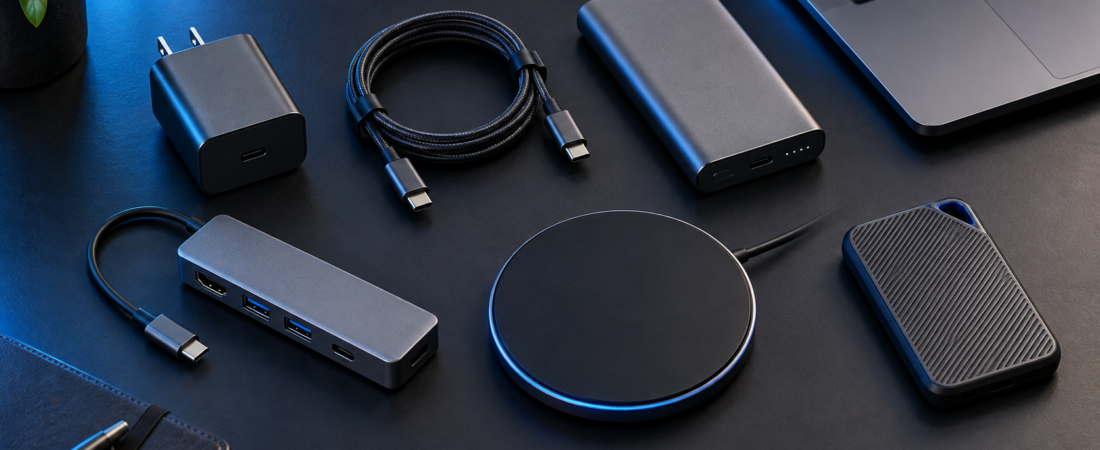
Buying a new phone or laptop is only the beginning.
Then come the accessories.
Chargers.
Power banks.
Cases.
Screen protectors.
USB hubs.
Laptop stands.
Wireless chargers.
Keyboards.
Mice.
Headphones.
Cable organizers.
The accessories can eventually cost almost as much as the device.
Some genuinely improve the way you use your technology.
Others solve problems you never had.
So which tech accessories are actually worth buying?
Quick Take
Spend money on accessories that do one of three things:
protect an expensive device
solve a recurring inconvenience
improve something you use for hours every day
For many people, that means a good charger, reliable cables, phone case, power bank and—depending on their setup—an external mouse, laptop stand or USB-C hub.
Skip accessories whose main benefit is simply looking clever in an advertisement.
1. A Good Charger — Absolutely Worth It
Chargers are among the most useful accessories you can buy.
Modern USB-C chargers can potentially charge several different devices, reducing the number of adapters you need to carry.
A multi-port charger can be especially convenient for travel.
But don’t buy based only on wattage.
Check:
USB Power Delivery support
number of ports
maximum output per port
output when several devices are connected
compatibility with your devices
A 100W charger doesn’t necessarily deliver 100W to every port simultaneously.
Buy from reputable manufacturers and check the specifications.
2. Good USB-C Cables — Worth It
USB-C looks standardized.
Its capabilities aren’t.
Different USB-C cables can support different:
charging speeds
data speeds
video output
power levels
A cable that charges your phone perfectly may not be appropriate for powering a high-performance laptop or connecting a monitor.
Buy cables for the job they’ll actually perform.
Cheap, poorly documented cables aren’t worth risking expensive electronics for.
3. Phone Case — Usually Worth It
A case is one of the simplest forms of insurance for an expensive smartphone.
You don’t necessarily need an enormous rugged case.
Choose based on how you use the phone.
Look for protection around:
corners
screen edges
camera lenses
Also consider grip.
A beautifully thin phone isn’t particularly useful if its finish makes you constantly worried about dropping it.
4. Screen Protector — Depends on You
Modern smartphone glass is much more durable than it once was.
But scratches and impacts still happen.
A screen protector can be worthwhile if:
you frequently drop your phone
you keep it with other objects
you work in rough environments
small scratches bother you
For other users, a good case with raised screen edges may provide enough peace of mind.
It’s inexpensive protection, but it isn’t mandatory for everyone.
5. Power Bank — Worth It for the Right Person
A power bank is incredibly useful when you:
travel frequently
commute for long periods
use navigation extensively
attend events
spend long periods away from outlets
Pay attention to usable capacity, charging speed, USB-C support and portability.
Don’t automatically buy the largest capacity.
A massive power bank that you never carry isn’t useful.
6. Wireless Charger — Convenience, Not Necessity
Wireless charging can be extremely convenient on a desk or bedside table.
Put the phone down.
Pick it up later.
No cable connection required.
But wired charging is often more efficient and can be faster depending on the devices involved.
Treat wireless charging as a convenience accessory rather than an essential purchase.
7. USB-C Hub — Very Useful for Thin Laptops
Many modern laptops have limited ports.
A good USB-C hub can add:
HDMI
USB-A
Ethernet
SD-card readers
additional USB-C connectivity
This can transform a thin laptop into a practical desk workstation.
But check what the laptop’s USB-C port actually supports before buying.
Not every port supports every display or charging capability.
8. Laptop Stand — Surprisingly Useful
If you work at a desk for long periods, a laptop stand can improve the setup by raising the screen.
But there’s a catch.
Once the laptop is raised, its built-in keyboard may become uncomfortable to use.
A stand makes the most sense when paired with an external keyboard and mouse.
It isn’t a performance upgrade.
It’s an ergonomic one.
9. External Mouse — Worth It for Desk Work
Trackpads are excellent for portability.
For hours of spreadsheet work, editing or general productivity, many users find a mouse more comfortable and precise.
You don’t need an expensive gaming mouse.
Prioritize:
comfort
reliable tracking
battery life
connectivity
If you work across multiple devices, multi-device switching can be particularly useful.
10. External Keyboard — Depends on Your Setup
An external keyboard becomes worthwhile when your laptop spends significant time on a desk.
It’s particularly useful when combined with:
a laptop stand
external monitor
desktop-style workstation
Keyboard preferences are extremely personal.
Don’t assume mechanical automatically means better.
Choose the keyboard you enjoy typing on.
11. External SSD — Worth It for Large Files and Backups
External SSDs are useful for:
backups
video projects
photo libraries
large file transfers
moving data between computers
They’re faster and more portable than traditional external hard drives in many situations.
But don’t use a single external SSD as the only copy of irreplaceable files.
A storage device isn’t automatically a backup strategy.
12. Webcam — Only if Your Existing One Is Bad
Laptop webcams have improved.
If your existing webcam already looks good enough for video calls, buying another one accomplishes little.
An external webcam makes more sense when:
you frequently present professionally
your laptop camera is poor
you use an external monitor with the laptop closed
you create video content
Before buying one, improve your lighting.
Good lighting can sometimes improve video quality more than replacing the camera.
13. Headphones or Earbuds — Worth It if You Use Them Daily
Audio devices can provide excellent value because many people use them for hours every day.
Prioritize:
comfort
sound quality
microphone performance
battery life
noise cancellation if relevant
Don’t buy expensive headphones purely because they’re fashionable.
Buy them because they improve something you do frequently.
Accessories You Probably Don’t Need Immediately
Be skeptical of:
random phone cooling gadgets
cheap multi-function adapters with unclear specifications
decorative cable accessories
unnecessary camera lens protectors
“RAM booster” hardware gimmicks
expensive stands that perform the same job as simple ones
This doesn’t mean they’re useless for everyone.
It means you should wait until you actually experience the problem they’re supposed to solve.
The 30-Day Rule
Here’s an easy way to avoid accessory overspending.
When you buy a new device, purchase only the essentials.
Then use the device for a few weeks.
You’ll discover what annoys you.
Maybe you constantly run out of ports.
Buy a hub.
Maybe your battery never lasts through travel.
Buy a power bank.
Maybe your neck hurts after working all day.
Consider a stand and external keyboard.
Let actual problems determine your accessories.
Not advertisements.
Aadyanix Verdict
The best tech accessories disappear into your routine.
You stop thinking about the charger because it powers everything.
You stop thinking about the hub because everything is already connected.
You stop worrying about battery because the power bank is in your bag.
Those are good purchases.
Before buying any accessory, ask one question:
“What problem does this solve for me?”
If you can’t answer immediately, don’t buy it yet.
The money can stay in your account until a real problem appears.
Frequently Asked Questions
Are expensive charging cables worth it?
You don’t necessarily need expensive cables, but you should buy properly specified cables from reputable manufacturers that support the power and data capabilities you require.
Do I need a USB-C hub?
Only if your laptop doesn’t have enough of the ports you regularly use.
Is a power bank worth buying?
Yes for frequent travellers, commuters and heavy phone users. It may be unnecessary if you’re rarely away from charging outlets.
Is wireless charging worth it?
It can be very convenient, particularly at a desk or bedside, but it isn’t essential.
Which laptop accessory should I buy first?
Don’t buy one automatically. Use the laptop first and identify your biggest recurring inconvenience. For desk users, a mouse, stand, keyboard or USB-C hub are common useful upgrades.