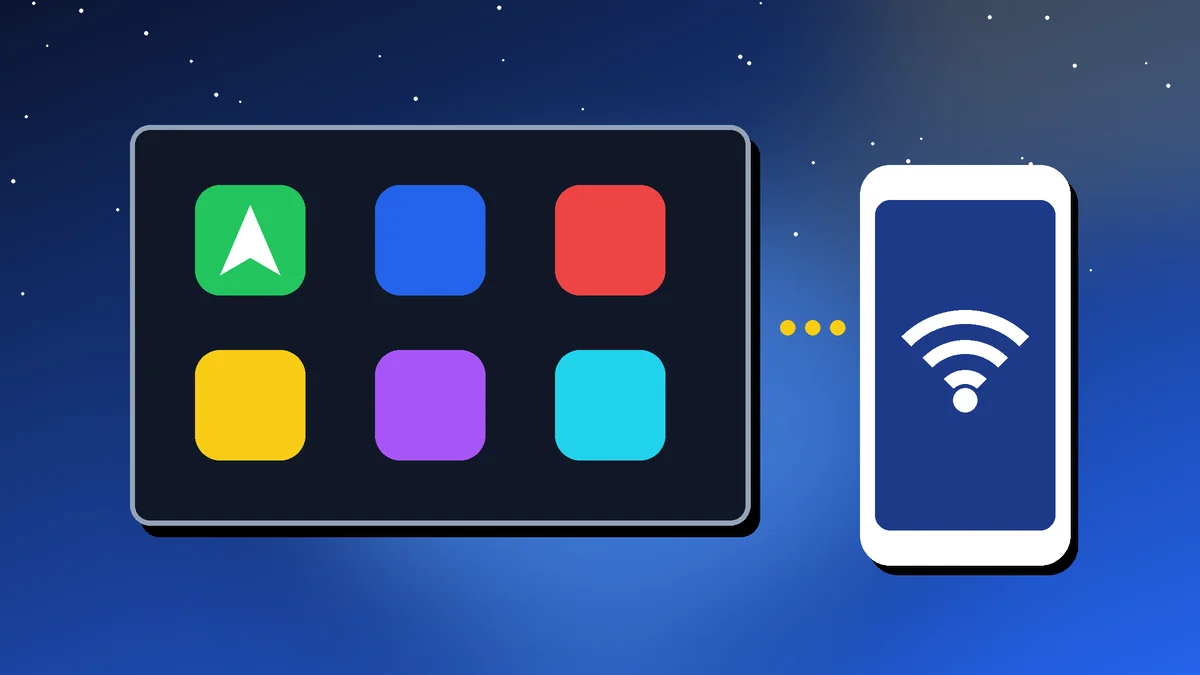
Plugging in your phone every time you get into the car gets old fast, and cheap cables keep disconnecting mid-route. Wireless Android Auto and wireless Apple CarPlay fix that: your maps, music and messages appear on the car’s screen as soon as you start the engine.
In this guide, I’ll show you how to set up wireless Android Auto and wireless CarPlay step by step, what to do if your car only supports a wired connection, and how to fix the most common problems.
Quick Take
To set up wireless Android Auto or CarPlay:
- Check your car supports a wireless connection; many cars only support wired
- Turn on Bluetooth and Wi-Fi on your phone
- Android: pair your phone with the car via Bluetooth and follow the on-screen steps
- iPhone: hold the voice button on the steering wheel, then go to Settings → General → CarPlay
- Car only supports wired? A wireless adapter can add it
Setup steps checked against Google’s Android Auto Help and Apple Support pages on 4 October 2026. Menu names can vary slightly by phone and car.
Table of Contents
What You Need for Wireless Android Auto and CarPlay
| Requirement | Android Auto | Apple CarPlay |
|---|---|---|
| Car | Must support wireless Android Auto | Must support wireless CarPlay |
| Phone | Most recent Android phones (Android Auto is built in) | iPhone with Siri turned on |
| Connections | Bluetooth, Wi-Fi and Location on | Bluetooth and Wi-Fi on |
| App | No download needed on newer phones | Built into iOS |
Check your car’s manual or infotainment settings to see whether it supports wireless connections. Many cars in India support Android Auto and CarPlay only with a cable, and some offer wireless only on higher variants. As a rule of thumb, wireless Android Auto works best on phones running Android 11 or later with 5GHz Wi-Fi.
How to Set Up Wireless Android Auto
According to Google’s Android Auto Help, setting up wireless Android Auto works like this:
- Park safely and start the car. Make sure your phone has a mobile data connection.
- Turn on Bluetooth, Wi-Fi and Location on your phone.
- Pair your phone with the car via Bluetooth. Open your phone’s Bluetooth settings and follow the prompts on the car’s screen. On some cars, you start by pressing the voice command button on the steering wheel.
- Wait a few seconds. Once paired, Android Auto should start on its own.
- Tap the Android Auto icon on the car’s display if it doesn’t start automatically.
- Accept the permissions on your phone so Android Auto can access maps, calls and messages.
Some cars ask you to connect with a USB cable the first time. After that, wireless Android Auto connects automatically on every drive.
How to Set Up Wireless CarPlay
Apple’s steps for wireless CarPlay are:
- Start your car and make sure Siri is turned on on your iPhone.
- Press and hold the voice command button on your steering wheel.
- Check the car’s stereo is in wireless or Bluetooth mode.
- On your iPhone, go to Settings → Wi-Fi, tap your car’s CarPlay network and check that Auto-Join is on.
- Go to Settings → General → CarPlay and select your car.
If your car supports both wired and wireless CarPlay, you can also plug in once with a cable, and your iPhone will offer to connect wirelessly on future drives.
Car Only Supports Wired? Try a Wireless Adapter
If your car supports Android Auto or CarPlay only with a cable, a wireless adapter can bridge the gap. It’s a small dongle that plugs into the car’s USB port and connects to your phone wirelessly.
- Check compatibility: some adapters support only CarPlay, some only Android Auto, and some both
- Expect a small delay in audio and touch response compared with a cable
- Look for firmware updates from the maker, which fix bugs and compatibility issues
- Buy from a reputable brand with good reviews and a clear return policy
For more useful upgrades, see our list of car gadgets worth buying.
Wireless Android Auto Not Working? Common Fixes
| Problem | Try this |
|---|---|
| Doesn’t connect at all | Confirm the car supports wireless mode; turn Bluetooth and Wi-Fi off and on |
| Connected to Bluetooth but no Android Auto | Tap the Android Auto icon on the car’s screen; check Android Auto is enabled in your phone’s settings |
| Keeps disconnecting | Turn off battery saver; remove other paired phones from the car |
| CarPlay network missing | Check Auto-Join is on for the car’s Wi-Fi network |
| Laggy maps or audio | Update your phone, Android Auto and the car’s infotainment software |
| Phone gets hot | Wireless use plus charging generates heat; keep the phone out of direct sun and use a ventilated mount |
If nothing works, forget the car in your phone’s Bluetooth settings, delete the phone from the car’s list of devices, and set it up again from scratch.
Is Wireless Android Auto Worth It?
For short daily drives, yes. Getting in and having maps and music ready without a cable is a real convenience. The trade-off is battery drain: wireless Android Auto uses both Wi-Fi and Bluetooth, so your phone can run down on long trips.
Keep a fast car charger handy. Our guide on how to make your phone battery last longer has more tips.
Aadyanix Verdict: Cut the Cable, Keep a Charger
If your car supports it, setting up wireless Android Auto or wireless CarPlay takes about five minutes and makes every drive smoother. If it doesn’t, a good adapter is an affordable upgrade.
Just remember: the goal is safer driving. Set your destination and playlist before you move, and use voice commands instead of touching the screen on the go.
Wireless Android Auto and CarPlay: Frequently Asked Questions
Do I need to download the Android Auto app?
On newer Android phones, no. Android Auto is built into the phone. You may need to update it from the Play Store.
Can I use wireless Android Auto in any car?
Only in cars that support it, or with a wireless adapter plugged into a car that supports wired Android Auto.
Does wireless CarPlay drain the iPhone battery?
Yes, faster than a wired connection, because the phone isn’t charging. Use a car charger or wireless charging mount on long drives.
Why is my wireless connection slower than wired?
Wireless connections can add a slight delay to audio and touch response. Updating your phone and the car’s software often helps.
Can two phones connect to the car at the same time?
Usually only one phone can run Android Auto or CarPlay at a time, though another phone may stay connected via Bluetooth for calls.
Stuck setting up wireless Android Auto? Get in touch and I’ll be happy to help.